如何解決 GitHub 認證失敗問題 - 使用 SourceTree
Y
一言敝之就是職業婦女。
remote: Support for password authentication was removed on August 13, 2021. remote: Please see https://docs.github.com/en/get-started/getting-started-with-git/about-remote-repositories#cloning-with-https-urls for information on currently recommended modes of authentication.
主要是使用 SourceTree 時到了認證失敗問題。因為 GitHub 自 2021 年 8 月 13 日起不再支持密碼認證,取而代之使用更安全的認證方式,例如個人訪問令牌(Personal Access Tokens, PATs)或SSH密鑰。以下是解決步驟:
點擊右上角的頭像,選擇「Settings > Developer settings > Personal access tokens > Generate new token」。
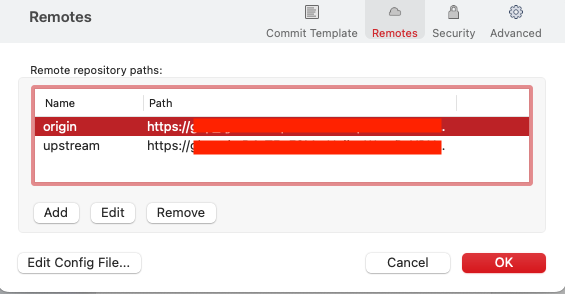
回去 source Tree > 專案 > Settings(右上角) > Remotes 正常會看到自己的專案,可能有
originupstreampath:https://github.com/username/repo.git

點選
Edit用剛剛取得的 token ,修改成以下https://<your_token>@github.com/username/repo.git